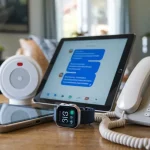
Living alone can be empowering for seniors, but it also comes with safety concerns. Alarms for seniors living alone provide extra protection by alerting caregivers, neighbors, or emergency services when something goes wrong.
From medical alert systems to motion sensors and smart alarms, these tools help older adults stay safe while maintaining independence.
The challenge is that falls, fires, or medical emergencies can happen without warning, leaving loved ones worried about delayed help. Seniors may also hesitate to call for assistance, not wanting to be a burden.
Thankfully, alarms designed for older adults create a safety net, ensuring help arrives quickly when it’s needed most.
Quick Rundown: The Best Alarms to Keep Seniors Living Alone Safe and Connected
- Provide Immediate Help in Emergencies: Personal alarm systems alert family or emergency responders instantly after a fall or medical issue.
- Offer Peace of Mind: Wearing or keeping an alarm close ensures help is always within reach—day or night.
- Customize for Every Lifestyle: Choose from wearable pendants, smartwatches, voice-activated devices, or home-based alarms depending on mobility and comfort.
- Integrate With Smart Technology: Many modern alarms sync with Alexa, smartphones, or monitoring apps for easy tracking and quick response.
- Prevent Long Wait Times After Falls: Automatic fall-detection sensors call for help even when a person can’t press a button.
- Support Independence: Seniors can feel confident living alone while caregivers gain reassurance that their loved one is protected.
Let’s explore the best types of alarms for seniors living alone and how each one can make independent living safer and more secure.

Why Alarms Matter for Seniors Living Alone
Living alone has its risks, especially for older adults. Falls, medical problems, and security issues can happen without warning. Alarms give seniors a quick way to call for help, which can make all the difference in an emergency.
By having a reliable alarm system, your loved one can stay independent, and you can feel at ease knowing they have access to help when they need it.
Types of Alarms for Seniors Living Alone
There are several types of alarms that can help keep seniors safe at home. Each has specific features and benefits.
Here’s a look at the main types:
1. Wearable Alarms
- Examples: Pendants, bracelets, smartwatches
- How They Work: These alarms are worn by the senior and have a button they can press in an emergency. Some models also detect falls automatically.
- Advantages: Always accessible since they’re worn; easy to use.
2. Home-Based Alarms
- Examples: Wall-mounted buttons, voice-activated alarms
- How They Work: These alarms are placed in high-risk areas, like bathrooms or bedrooms. Seniors can activate the alarm by pressing a button or using a voice command.
- Advantages: Good for areas where falls are common, like bathrooms.
3. Mobile Alarms with GPS Tracking
- Examples: Mobile devices with GPS tracking
- How They Work: Mobile alarms work both inside and outside the home, allowing seniors to stay connected to help even when they’re out. GPS tracking lets caregivers locate them if they get lost.
- Advantages: Great for active seniors who leave home alone; helps in outdoor emergencies.
Useful Tip: Can family members use a home alarm system to monitor their senior loved one? Yes, family members can use a home alarm system to help monitor their senior loved one’s safety. Many modern home alarm systems offer features specifically designed for remote monitoring, making them a valuable tool for family caregivers.
Key Features to Look for in a Senior Alarm System
Choosing the right alarm means knowing which features matter most. Here are the essential features to consider:
| Feature | Importance |
|---|---|
| Ease of Use | The alarm should be easy for seniors to use without complicated steps. |
| Reliability | Look for alarms with dependable service and quick response times. |
| 24/7 Monitoring | Choose a system with around-the-clock monitoring for extra peace of mind. |
| Fall Detection | Some alarms automatically call for help if they detect a fall. |
| Battery Life | Long battery life is essential, especially for wearable devices. |
| Water Resistance | Important for wearables, especially in bathrooms where slips can occur. |
1. Ease of Use
- Make sure the alarm is simple enough for your loved one to operate, even if they are stressed or in pain. Single-button designs or voice activation options are often the easiest.
2. Reliability
- Alarms need to be reliable so they can be counted on in an emergency. Look for alarms with good reviews for fast response times and dependable connections.
3. 24/7 Monitoring Services
- Many alarm systems offer professional monitoring, meaning someone is available at any time to respond to alarms. This can be very helpful if you or other family members are not always available.
4. Fall Detection
- Falls are a common risk for seniors. Many alarms now come with fall detection, which means they can sense when the wearer has fallen and send an alert automatically.
5. Battery Life and Maintenance
- Choose an alarm with a long-lasting battery. Some alarms need recharging, while others use replaceable batteries. Check how often batteries need changing or charging.
6. Water Resistance
- Since falls often happen in the bathroom, a water-resistant alarm is crucial. This allows your loved one to wear it in the shower or bath.
Brand Recommendations and Comparisons
Here are some well-rated brands and their standout features:
- Monitoring: 24/7 with quick response times
- Notable Features: Waterproof pendant, fall detection
- Cost: Higher-end pricing, monthly monitoring fees apply
- Monitoring: 24/7 professional monitoring
- Notable Features: GPS tracking, multiple wearable options
- Cost: Mid-range, with monthly fee for monitoring; often no long-term contracts
- Monitoring: 24/7 professional monitoring
- Notable Features: Low-cost wearable options, automatic fall detection
- Cost: Affordable monthly plans, no equipment fees in some cases
- Monitoring: 24/7
- Notable Features: GPS-enabled devices, fall detection, app-based tracking for caregivers
- Cost: Mid to high range, depending on device and plan
Cost Breakdown
The cost of an alarm system can vary widely. Here’s a quick breakdown of what to expect:
| Cost Type | Description |
|---|---|
| One-Time Fees | Initial purchase cost for equipment, if any |
| Monthly Fees | Cost for 24/7 monitoring service (varies by provider) |
| Installation Fees | Some providers charge extra for setup, while others do not |
| No-Monthly Fee Options | Some alarms call family members instead of a service |
Budget-conscious buyers might look for systems with no monthly fees, though these typically don’t have professional monitoring.
Detailed Comparison Table of Top Alarms
| System Type | Fall Detection | 24/7 Monitoring | GPS Tracking | Battery Life | Cost Range | Pros | Cons |
|---|---|---|---|---|---|---|---|
| Life Alert | Yes | Yes | No | Long-lasting | High | Reliable, well-known | High upfront and monthly fees |
| MobileHelp | Yes | Yes | Yes | Rechargeable | Medium | GPS-enabled, contract-free | Fees can add up over time |
| Bay Alarm Medical | Optional | Yes | Optional | Replaceable | Low to medium | Affordable options | Limited features in basic plan |
| Medical Guardian | Yes | Yes | Yes | Varies by device | Medium to high | GPS tracking, app for caregivers | More complex setup |
Emergency Response Time
Response time is key in an emergency. Here’s a general overview:
- Life Alert and Medical Guardian: Known for quick responses, often within seconds after activation.
- MobileHelp: Typically responds in under a minute, but speed can vary based on location and network.
- Bay Alarm Medical: Similar to MobileHelp, response times are fast but can vary slightly.
For the quickest response, make sure your loved one lives in an area with reliable cell service or a strong Wi-Fi connection if using a mobile-based alarm.
Contracts and Return Policies
Many alarm providers offer trial periods or money-back guarantees. Here’s what to know:
- Life Alert: Often requires a long-term contract with a cancellation fee.
- MobileHelp and Medical Guardian: Contract-free, with a risk-free trial period (often 30 days).
- Bay Alarm Medical: No long-term contract; offers a 30-day trial for added peace of mind.
Tips for Choosing the Best Alarm for Your Needs
To choose the best alarm for your senior loved one, it’s important to consider both their needs and your own. Here are a few tips:
Involve Your Loved One
- Let them try different options to see what feels comfortable and easy to use.
Test the System Together
- Practice using the alarm before it’s needed. Make sure they understand how it works and feel confident using it.
Personalize Alerts
- Set up the alarm to alert family or friends if your loved one prefers this instead of contacting a monitoring center.
Regular Checks and Maintenance
- Make it a habit to test the alarm monthly and replace or recharge batteries as needed.
Final Thoughts
Choosing the right alarm for seniors living alone can help them stay safe while maintaining their independence.
Look for a system that is reliable, easy to use, and has features like fall detection, 24/7 monitoring, and GPS tracking if needed. With the right alarm, your loved one can stay safe, and you’ll feel more secure knowing they have a lifeline close by.