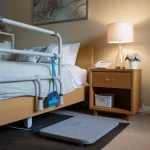
Sometimes you just need to know your parent is safe without making them feel like they are under watch. That’s why learning how to monitor elderly parents matters so much. It gives you peace of mind while respecting their independence, dignity, and privacy.
The challenge is real: you can’t be in two places at once. I’ve felt the same worry, wondering if my loved one had taken their medication, gotten out of bed safely, or remembered to lock the door. Thankfully, today’s remote monitoring tools make this easier, safer, and more respectful than ever.
Quick Rundown: How Smart Monitoring Keeps Elderly Parents Safe Without Taking Away Independence
- Wearables & Alerts: Fall detection watches and pendants give quick emergency help while tracking activity and location.
- Smart Home Tools: Motion sensors, daily check-ins, and voice assistants add safety in a non-intrusive way.
- Health Monitoring: Remote patient monitoring helps manage chronic conditions with doctor-linked dashboards.
- Home Safety Basics: Smoke detectors, grab bars, good lighting, and non-slip floors reduce preventable risks.
- Privacy First: Always get consent and use respectful monitoring, support, not surveillance.
- Plan Ahead: Budget for devices, subscriptions, and check Medicare coverage to avoid surprises.
Let’s walk through the most practical and respectful ways to monitor your parents so they stay safe and you stay connected.
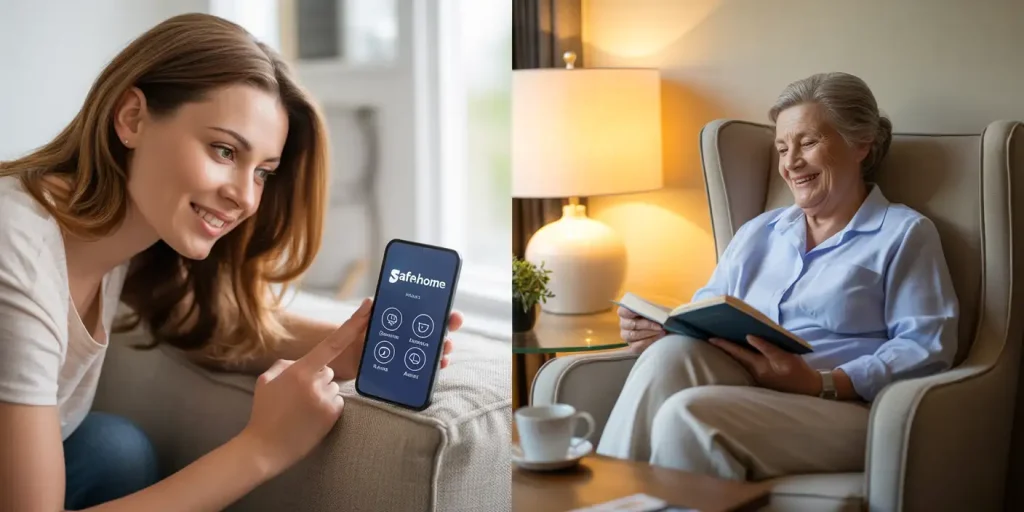
Who Needs Elderly Parent Monitoring?
Not every family needs monitoring, but it becomes important when:
- Your parent has had falls or close calls.
- Medication is sometimes forgotten.
- Memory changes cause missed appointments or confusion.
- You live far away and can’t check in daily.
In my own family, I first started looking at activity tracking systems when my aunt fell while getting the mail. No one found her for almost an hour. That moment showed us we needed a safety net in place.
❓ How do I know when it’s time to add monitoring for my parents?
💬 Watch for warning signs like frequent falls, missed medication, unopened mail, or confusion with daily tasks. If you notice changes in behavior or safety, start with one simple tool, such as a wearable or daily check-in system, before problems escalate.
Early Warning Signs That More Monitoring Is Needed
Sometimes it’s not a single emergency but small patterns of decline over time:
- Missed bill payments or unopened mail.
- Decline in grooming or hygiene.
- Skipped meals or weight loss.
- Confusion with routines like cooking or locking the door.
- Withdrawal from friends or favorite activities.
Catching these changes early allows families to add non-intrusive monitoring before a crisis happens.
Types of Monitoring Solutions for Seniors
Wearables and Emergency Response Systems
These are often the first step because they are small, portable, and easy to use.
- Apple Watch (Series 11 and Ultra 3) – includes fall detection, blood pressure alerts, and satellite SOS for emergencies outside the home. Make sure your parent’s age is set correctly in the Health app, since fall detection auto-activates at 55+.
- Medical alert pendants – simple, one-button emergency response devices with GPS, two-way talk, and caregiver dashboards. Many now include automatic fall detection, which is helpful if your parent won’t always press the button.
❓ What if my parent refuses to wear a medical alert pendant?
💬 Try a smartwatch instead. Many parents accept them because they also tell time, track steps, and feel less “medical.”
Tips on how to help an elderly parent who refuses help!
Smart Home Automation and Daily Check-Ins
This is where families can combine simple tools to create a hybrid solution:
- Hello Everyday – caregiver platform with structured daily routines, reminders, and emotional check-ins.
- CheckinBee – lightweight “I’m okay” system. If no response comes in, caregivers get an alert.
- Simplitend – designed for long-distance families, with a simple caregiver portal that shows activity and wellness updates.
- Homesight by Vantiva – a home monitoring hub with sensors for doors, movement, and routine changes, using AI to flag concerns.
- Alexa Emergency Assist – enables voice-activated calls for help, reminders for meds, hydration, or wellness check prompts.
I once worked with a neighbor who refused cameras in her home but loved using CheckinBee. It gave her daughter peace of mind every morning when she got the “all clear” message. Small touches like this preserve independence.
❓ What is the best way to check in on elderly parents who live far away?
💬 A hybrid approach works best. Use a daily check-in tool for reassurance, pair it with a wearable for emergencies, and add video or phone calls for emotional connection. This way you stay informed about safety without needing to visit daily.
Health and Remote Patient Monitoring (RPM)
RPM is often recommended for parents with chronic health issues. It can include:
- Vitals monitoring: blood pressure cuffs, glucose meters, and smart scales.
- Caregiver dashboards shared with physicians.
- Virtual exercise programs to improve balance and reduce falls.
❓ Does insurance cover RPM for seniors?
💬 In many cases, yes. Medicare and private plans often reimburse RPM if prescribed by a doctor.
❓ Can Medicare or insurance help cover elderly monitoring costs?
💬 Yes, some RPM devices like blood pressure cuffs or glucose monitors may be covered if prescribed by a doctor. Medicare and private plans often reimburse these programs, but consumer devices like smartwatches or Alexa usually aren’t covered.
Environmental and Home Safety Monitoring
Monitoring isn’t only about apps and devices. The home environment matters just as much.
- Install smoke and carbon monoxide detectors on every level of the home, testing them monthly.
- Set the water heater to 120°F or lower to prevent burns.
- Add grab bars in bathrooms (between 33–36 inches from the floor).
- Use non-slip flooring or mats in kitchens and bathrooms.
- Improve lighting, aim for at least 800 lumens in staircases and hallways.
- Remove thresholds higher than ½ inch that create trip hazards.
These home safety modifications reduce risks before they become emergencies.
Privacy, Consent, and Ethical GPS Tracking
One of the biggest worries I hear from caregivers is, “I don’t want my mom to feel spied on.” That’s a valid concern.
- Always get consent before using GPS tracking or cameras.
- Use cameras only in common spaces, never in bedrooms or bathrooms.
- Explain how GPS helps if a parent wanders or gets lost, and clarify who has access to the data.
- Consider geofencing alerts to notify caregivers if a parent leaves a safe zone.
- Choose non-intrusive alternatives like motion sensors or daily check-ins when cameras feel too invasive.
❓ How do I monitor my elderly parent without invading their privacy?
💬 Start by choosing non-intrusive tools like daily check-in apps (CheckinBee) or passive sensors (Homesight) that don’t use cameras. Always get consent, explain the benefits, and keep monitoring limited to areas like hallways or living rooms rather than private spaces.
❓ What are geofencing alerts and how do they help with elderly monitoring?
💬 Geofencing alerts create a virtual boundary around a safe zone, like your parent’s home or neighborhood. If they leave that area, you get an instant notification on your phone. This is especially helpful for seniors with dementia or memory issues who may wander, giving you peace of mind and time to respond quickly.
Monitoring should always feel like support, not surveillance.
Legal and Financial Safety Planning
Monitoring is about more than health and safety, it also ties into long-term security. Families often overlook this until a crisis.
- Power of Attorney (POA) – grants a trusted person legal authority to make financial or healthcare decisions.
- Living Will / Advanced Directive – spells out care wishes in case of serious illness.
- Estate Planning – ensures property and assets are handled as intended.
- Healthcare Proxy – names someone to act for medical choices if needed.
- Fraud and scam prevention – monitor for unusual charges or financial abuse.
❓ When should we start these conversations?
💬 The best time is before monitoring shows a serious decline. Having paperwork in place avoids stress and confusion later.
Costs and Subscription Fees in 2025
Monitoring isn’t one-and-done, it’s a mix of devices and ongoing services. Here’s what to expect:
- Medical alert systems – $25–$40 per month.
- Apple Watch – $399+ plus $10/month cellular plan if needed.
- CheckinBee – low monthly fee.
- Hello Everyday / Simplitend – caregiver plans start at $15–$25 per month.
- Homesight by Vantiva – hub and sensors with subscription service.
- Nest Aware – $8–$15/month for unlimited devices.
💡 Plan for subscription creep. Prices tend to rise yearly (like everything it seems!), so budget with room for increases.
How To Choose the Right Monitoring Setup
Before buying, ask yourself:
- Does my parent have a fall risk?
- Do they need vitals monitoring for chronic conditions?
- Are they open to smart home automation or wearables?
- How much can I spend monthly without stress?
In most cases, the best answer is a hybrid solution:
- A wearable or emergency pendant for immediate response.
- A daily check-in tool like CheckinBee.
- One or two motion sensors for passive monitoring.
- Legal paperwork in place for financial and healthcare decisions.
Practical Tips for Caregivers
- Double-check device settings, especially age fields in wearables.
- Teach your parent how to cancel false alarms.
- Review subscriptions yearly to avoid unexpected charges.
- Share caregiver dashboards with siblings so care feels like a team effort.
- Start small, add one tool at a time.
Taking Care of Yourself as a Caregiver
Caring for a parent can take a toll if you try to do it all alone.
- Schedule breaks to recharge.
- Join caregiver support groups.
- Share responsibilities with siblings or trusted friends.
- Remember, you can’t prevent every risk, but you can create safety nets.
Your well-being matters too, if you burn out, you can’t be present for your parent.
Conclusion
Monitoring elderly parents is not about control. It’s about safety, dignity, and connection. Start with one simple step, whether it’s CheckinBee, Hello Everyday, or an emergency response device, and build from there.
👉 By layering tools, making the home safer, setting up legal protections, and caring for yourself, you’ll create a system that protects your parent’s independence while easing your own worries.