When your loved one says no to tech, the best approach is to lead with empathy and patience.
Focus on the specific benefits that matter most to them, like staying connected to family or increasing their personal safety, to gently encourage adoption and overcome their initial resistance.
Quick Rundown: When Your Loved One Says ‘No’ to Tech
- Acknowledge Feelings First: Listen with empathy to understand fears about privacy, complexity, or cost.
- Start Small: Introduce one simple, useful tool, like a video call button or voice assistant, before adding more.
- Offer Hands-On Practice: Guided demonstrations reduce anxiety and build confidence with new devices.
- Highlight Practical Benefits: Show how tech can make life easier, like reminders for medication or connecting with family.
- Respect Boundaries: Pushing too hard creates resistance; patience and choice encourage openness over time.
- Blend Old With New: Combine familiar habits with gentle tech upgrades for smoother transitions.
It’s incredibly frustrating and worrying when a parent or grandparent rejects technology designed to keep them safe and connected.
We understand the delicate balance between respecting their independence and ensuring their well-being, having helped countless families navigate this exact challenge with compassion and success.
To find a solution that works for your family, let’s begin by exploring the core reasons why they might be saying “no” in the first place.
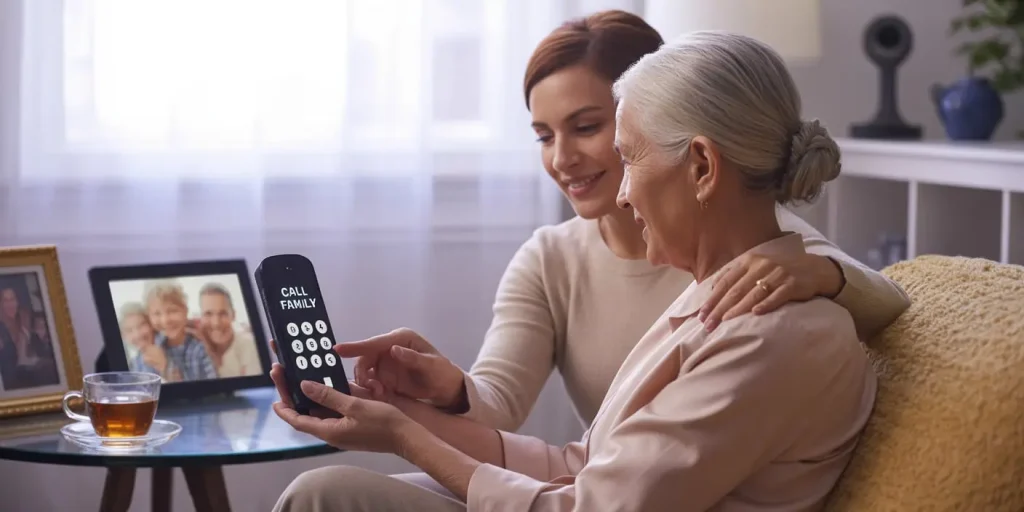
Why Older Adults Often Resist Technology
It’s easy to assume seniors just “don’t get tech,” but that’s not the full story. Many older adults aren’t refusing because they can’t learn, they’re protecting their independence, identity, and routines.
Here’s what’s usually going on under the surface:
- Fear of making a mistake or breaking something
- Low technical confidence from lack of exposure
- Privacy concerns about being tracked or recorded
- Physical barriers like poor vision, arthritis, or hearing loss
- Frustration with small text or confusing menus
- Feeling like tech replaces people, not supports them
🟡 Personal story: My mom-in-law once yelled at her smart thermostat, “Stop spying on me!” She wasn’t afraid of buttons, she was afraid of losing control in her own home.
❓ How do I know what tech my loved one is ready to try?
💬 Start by observing their daily challenges. Are they forgetting appointments, losing track of pills, or feeling lonely? Match tech to their specific need. For example, if forgetting medication is the issue, a smart pill organizer or voice reminder is ideal. This method helps you avoid overwhelm and increases the chance they’ll say yes.
How to Have the Tech Talk Without Stress
The key is respect, not pressure. When you start the conversation, use calm language, sit beside them (not across), and make it part of a shared moment, like during a walk or folding laundry.
Here’s how to approach it:
- Use gentle language like “Would this help you feel safer?” instead of “You need this.”
- Acknowledge their fears without judging them.
- Ask for their input on what feels confusing or overwhelming.
- Use stories of others their age to build trust (“Mrs. Thompson got this and said it helped her feel more independent.”)
- Offer to try it together instead of expecting them to go solo.
❓ What if they shut the conversation down?
💬 Back off and return later. Sometimes, bringing up the topic again after a week or two leads to a more open talk.
Start Small With Tech That Feels Familiar
Don’t hand them a tablet loaded with apps and expect success. Choose stepping stone devices, tools that feel familiar, are easy to use, and focus on their interests or needs.
Here are some great entry points:
- Digital photo frames like Aura Carver
🖼️ No buttons to press, just warm, familiar photos of family. - Medical alert systems like MobileHelp Classic
🚨 One-button help, no smartphone needed. - Big-button cell phones like Jitterbug Flip2
📞 Clear screen, large text, hearing aid compatible. - Smart speakers like Amazon Echo Dot
🎶 Voice-controlled music, medication reminders, or weather updates.
🟡 Client example: I had a client who resisted everything until her daughter set up a digital frame. When she saw daily photos of her grandkids, she felt included again. That frame built trust, and later, she agreed to try a voice assistant.
❓ What if my loved one gets scams or unwanted calls on new devices?
💬 Set up built-in security features before giving them the device. Disable unknown callers, enable spam filters, update passwords regularly, and show them how to block or report unwanted contacts. Demonstrating these steps helps build trust, and you can even role-play a suspicious call together to reinforce learning.
Remove Accessibility Barriers That Get in the Way
Many seniors say no because the design is too hard on their body. Making tech senior-friendly helps reduce frustration and builds confidence.
What to look for:
- Large font options and high-contrast screens
- Voice commands instead of small buttons
- One-touch features that avoid complex menus
- Stylus pens for shaky hands or arthritis
- Built-in speakers or Bluetooth for hearing aid compatibility
🟡 Tip: Look for devices labeled “accessible,” “ADA-compliant,” or “senior-focused.”
Support Their Learning With Friendly Training
Trying to learn alone is overwhelming. Set your loved one up for success by offering structured support.
Effective training options:
- Free classes at local senior centers or libraries
- Tech buddy programs where they learn from a peer
- YouTube channels like Cyber-Seniors or TechBoomers
- One-on-one family coaching, with short 15-minute lessons
🟡 Idea: Use “one step per day” learning. For example, today just practice turning the device on and off. Tomorrow, try making a call.
❓ Can I install tech remotely if they live far away?
💬 Yes, many devices allow remote setup and updates. Smart speakers, medicine reminders, and video-call gadgets often have companion apps you can control from your phone. Just make sure your loved one gives consent, then walk them through how you’ll help, this maintains trust while providing support from afar.
What About the Cost? Here Are Budget-Friendly Choices
Many families worry about cost, but safe, simple tech doesn’t have to be expensive.
Here’s a breakdown of affordable tools:
- Jitterbug Flip2: around $150
- Amazon Echo Dot: $49 (on sale often)
- Aura Carver digital frame: around $179
- Basic medical alert systems: $20–$30 per month
- Free safety apps: like FallSafety or CareZone
🟡 Tip: Ask your local Area Agency on Aging if they offer discounts, or check if Medicaid helps cover medical alert devices.
Using Technology to Improve Health and Safety
Many older adults feel better about tech when it’s about health and independence. Show how it can help them feel in control of their well-being.
Helpful tools include:
- Blood pressure monitors that sync with apps
- Smart pill organizers with audio reminders
- Fall detection sensors in wearable devices
- Voice assistants that remind them to hydrate or move
- Telehealth visits through tablets with large touchscreens
🟡 Tip: Sit with them during the first video appointment to show how easy it can be. Print out step-by-step guides with large text.
Ease Their Privacy Worries
It’s normal for older adults to worry about data safety and “being watched.” Take time to explain how to stay safe online.
Simple ways to boost privacy:
- Turn off camera/mic settings they don’t need
- Use passwords they help create (easy to remember but safe)
- Install privacy covers on smart displays
- Set up alerts for suspicious activity or scam attempts
- Avoid devices with constant tracking
❓ How do I balance tech use and privacy?
💬 Have an open conversation about what data is collected and how it’s used. For example, explain that a smart speaker listens only after you say its wake word, and that you’ll disable functions they find intrusive. Showing them how to cover cameras or mute mics gives them control and eases concerns.
🟡 Tip: Let them be part of the setup process so they feel in control, not tricked.
Use Technology to Stay Connected as a Family
One of the best ways to reduce resistance is to make tech emotional, not technical. Turn it into bonding time.
Try:
- Video calls with grandkids during family events
- Cooking or craft tutorials you do together
- Music playlists from their favorite decades
- Memory projects using scanned photos and digital frames
- Games like online crosswords or simple trivia
🟡 Personal example: My mom once taught me how to knit while we followed a YouTube tutorial. We laughed, paused the video, and learned together. That connection opened the door for her to try other online tools.
When Tech Just Isn’t a Fit, And That’s Okay
Not every tool works for every person. Some loved ones will do better with analog options that feel comfortable and familiar.
Simple non-tech alternatives:
- Color-coded wall calendars
- Daily dry-erase task boards
- Reminder phone calls from you or a friend
- Corded phones with photo speed dial
- Motion-sensor night lights for safety
❓ Is it okay if they never use the device I picked?
💬 Yes. The goal is safety, connection, and peace of mind, not forcing the latest gadget. Go at their pace.
🟡 Tip: Use a hybrid model, combine easy tech with old-school tools they already trust.
Keep the Door Open for Change Over Time
Adopting technology isn’t a one-time event. It’s a conversation that grows over weeks or months.
Keep it going by:
- Celebrating small wins like using a voice command
- Sharing success stories from friends or neighbors
- Setting simple tech routines (e.g., “Photo Hour” every Sunday)
- Checking in regularly to ask, “Is this still working for you?”
🟡 Reminder: Use “we” language. Say, “Let’s try this together” instead of “You need to figure this out.”
Final Thoughts: You’re Doing More Than You Know
If you’re here, it’s because you care. Helping a loved one feel safe and confident, whether they use tech or not, is a powerful act of love.
Be patient with them, and with yourself. Celebrate every step forward. Technology is just a tool. Love and connection are what really matter.