No, the Echo Dot does not have a camera for security or video recording.
This compact smart speaker from Amazon is designed to be audio-only, making it a safe choice for seniors and caregivers who value privacy.
Unlike Echo Show models, the Echo Dot offers voice assistance without built-in video features.
Quick Rundown: Does Echo Dot Have a Camera? What Seniors and Caregivers Need to Know
- No Built-In Camera: Echo Dot devices do not come with a camera, making them a safe choice for those concerned about privacy.
- Audio-Only Functionality: They use microphones to pick up voice commands but cannot record or transmit video.
- Video Options Elsewhere: If you want video features, you’ll need an Echo Show, which includes a screen and camera for video calls.
- Privacy Protection: Since there’s no camera, Echo Dot reduces the risk of accidental video sharing or surveillance worries.
- Great for Seniors: It’s ideal for older adults who want voice assistance, reminders, music, and smart home control without added privacy concerns.
If you’ve ever worried about being “watched” by technology, you’re not alone. Many of my patients and family clients had the same concern.
I love my echo dot devices, and I have several of them throughout my house. I love the sense of security it gives me, knowing that if I can’t reach my phone, I can use my voice to call for help.
In this article, we’ll explore how Echo Dot works, why it’s camera-free, and what privacy settings you can adjust to feel more secure at home.
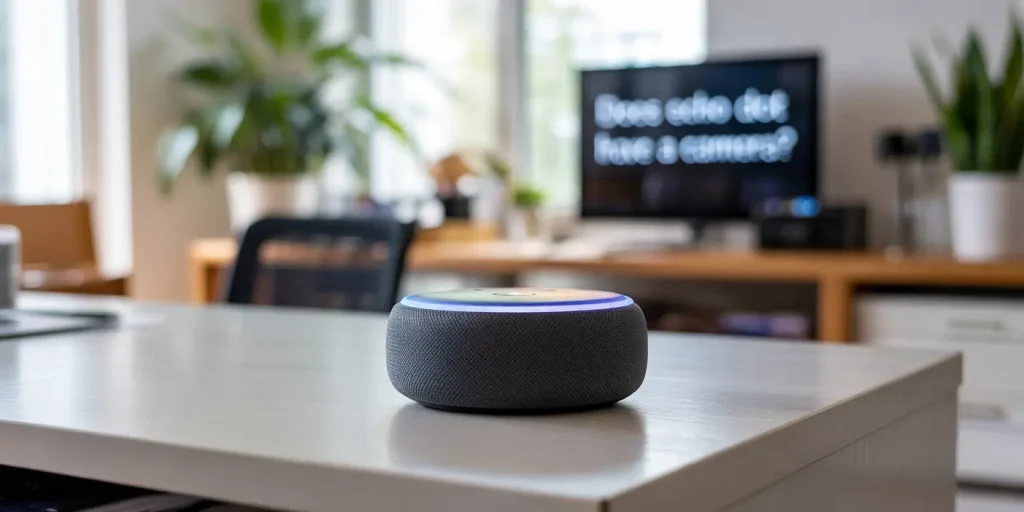
What Is the Echo Dot?
The Echo Dot is a compact, budget-friendly smart speaker made by Amazon. It lets you talk to Alexa, a virtual voice assistant, who can help with daily tasks like:
- Setting medication or appointment reminders 🕐
- Calling family or caregivers 📞
- Playing music or giving weather updates 🎵🌦️
- Controlling smart home devices like lights or plugs 💡🔌
- There are many more features that Alexa devices offer!
Because it’s easy to use and has no screen or camera, it’s a top choice for older adults and caregivers who want smart home integration with fewer risks.
❓What’s the safest Echo device for seniors?
💬 The Echo Dot, because it’s camera-free and simple to use. It gives you smart features without video streaming or screen distractions.
Does Echo Dot Have a Camera?
No, the Echo Dot does not have a built-in camera. You don’t have to worry about being watched or recorded through video.
I had a patient who asked, “Is this going to spy on me?” That fear is very real for some people. But the Echo Dot is designed to protect user privacy. It doesn’t take pictures, stream video, or allow live feed access.
💡 Important Note: If you see a screen on an Echo device, like the Echo Show, that one does include a camera and can stream video. But Echo Dot is audio-only.
❓Can I see camera footage on Echo Dot?
💬 No. Echo Dot doesn’t have a screen. But you can control compatible cameras with your voice and view the video on another device like an Echo Show or phone.
Why Echo Dot Doesn’t Include a Camera
Amazon purposely left the camera out to make the Echo Dot:
- More private for people who don’t want video features
- Less expensive, so it’s affordable for most households
- Simple to use, especially for seniors and non-techy users
This privacy-focused design is ideal for people who want help with daily routines without feeling like someone is watching them.
What About the Microphone? Can It Hear Me All the Time?
Yes, the Echo Dot has built-in microphones that are always listening for the wake word that you assign to it.
Tip: You can assign one of 5 wake words. They are: Alexa, Amazon, Echo, Computer or Ziggy! You can only choose one wake word at a time per device, and you can’t create custom wake words (like “Grandma” or “Charlie”) at this time.
But here’s what matters:
It only responds after it hears the wake word. That’s when the device starts processing your request. You’ll know it’s listening because a light ring turns on.
✅ How to Mute the Microphone:
- Press the mute button (it looks like a microphone with a slash).
- A red light means it’s disabled and can’t hear you. 🔇
I taught my neighbor how to use that feature. She keeps hers muted at night and only turns it on during the day. It’s one small step that helped her feel more in control.
❓Does Echo Dot record everything I say?
💬 No. It only records after you say the wake word. You can delete anything it hears in the Alexa app.
Which Echo Devices Do Have a Camera?
Here’s a simple breakdown so you can tell which Amazon Echo models do or don’t include a camera:
| Echo Device | Camera? | Screen? | Best Use Case |
|---|---|---|---|
| Echo Dot | ❌ No | ❌ No | Voice-only help without visuals |
| Echo Show | ✅ Yes | ✅ Yes | Video calls, camera streaming |
| Echo Studio | ❌ No | ❌ No | High-quality sound, no camera |
| Echo Spot | ✅ Yes | ✅ Yes | Compact with video calling |
📷 If you’re unsure what you have, check if the device has a screen. Only Echo Show and Echo Spot include built-in cameras.
Echo Dot Models: What’s the Difference?
Here’s a quick chart showing how Echo Dot generations have changed:
| Model | Features |
|---|---|
| 3rd Gen | Puck design, decent sound, basic Alexa features |
| 4th Gen | Ball shape, better bass, improved microphones 🎵 |
| 5th Gen | Temperature sensor, motion detection, faster response ⏱️ |
| Kids Edition | Parental controls, fun colors, safe browsing features 👶 |
All of these models are camera-free, making them great for privacy-conscious users.
Can Echo Dot Connect to Security Cameras?
Yes, but only as a voice controller, not for showing video.
You can connect Echo Dot to Alexa-compatible devices like:
- 📷 Ring doorbells
- 🚪 Blink or Arlo cameras
- 🏡 Smart home security systems
This means you can say, “Alexa, show me the front door,” and your Echo Dot will send the request to a connected Echo Show or phone.
➡️ The Echo Dot acts like the voice brain, not the eyes. You get the convenience of voice control without having a camera in your room.
Is the Echo Dot Safe for Seniors?
Yes! In fact, I recommend it often for senior clients.
🟢 Benefits:
- Hands-free access to info and reminders
- Safer communication during emergencies
- Easy entertainment: music, audiobooks, games
- Voice-controlled smart lights and plugs
🔴 Concerns and Reassurance:
- “Is it always recording?” → Only after the wake word
- “Can I stop it from listening?” → Yes, with the mute button
- “Can I turn it off at night?” → Yes, unplug or use a smart plug
My aunt uses hers every day to check the weather, call her daughter, and play music while she cooks. It gives her peace of mind, and gives her family peace of mind, too.
❓Can Echo Dot be hacked?
💬 It’s rare, but possible. Protect your device with a strong Wi-Fi password, and make sure the Alexa app is always up to date.
❓Can I use Echo Dot without Wi-Fi?
💬 No. A Wi-Fi connection is required for all features, including voice commands and smart home control.
How to Adjust Alexa Privacy Settings
Want more control? You can manage Alexa privacy settings in the Alexa app.
📱 To Review and Delete Voice Recordings:
- Open the Alexa App
- Go to More > Settings > Alexa Privacy
- Tap on Review Voice History
- You can delete recordings, set up auto-deletion, or adjust data permissions
These settings let you protect your privacy with just a few taps.
Best Practices for Safe Use in a Senior’s Home
Here are a few safety tips for placing and using Echo Dot:
🛏️ Smart Placement:
- ✅ Keep in the kitchen, living room, or hallway
- ❌ Avoid bathrooms or bedrooms if you’re worried about privacy
- 🔇 Mute the microphone overnight if desired
🕔 Use a Smart Plug for Control:
- Set it to turn off automatically at night
- Use Do Not Disturb mode for quiet hours
Final Thoughts: Smart, Simple, and Camera-Free
If you’ve been holding back on smart speakers because you’re worried about being watched, the Echo Dot is the safe, no-camera solution. It gives you helpful features without giving up your personal privacy.
I’ve helped many seniors and caregivers use Echo Dot in their homes, and it’s always brought more peace of mind than worry.
With just a few small settings, you can enjoy smart help, simple routines, and added safety, without the feeling of being watched.