I talk quite a bit in my articles about the Amazon Alexa Echo Show product because I love all that it can do, especially for seniors and family caregivers.
But of course, it’s not the only product on the market that uses voice commands to help out families.
What I mean is that there are other smart devices on the market as well. In this article I’ll be comparing one of these devices, the Facebook’s Portal to the Echo Show.
So, let’s go over what each one of these two smart home devices does and how they can make life easier and safer for older adults and their loving families.
What Is The Echo Show?
The Echo Show is a smart speaker product by Amazon that works with the Alexa app on your smartphone. It uses voice commands voice commands to perform a variety of tasks, which reduces the need for manual dexterity or navigating complex interfaces.
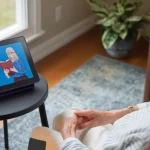
It’s one of the Alexa devices but the difference is that the Echo Show is not only a voice command speaker, it also has a screen that can be used to view videos, make phone calls, video chat through a video camera with family and friends who also have an Echo Show and/or a Skype account.
But it can also do much more:
- Reminders and Alarms: Older adults can set reminders for medications, appointments, and daily tasks, which can be especially helpful for those with memory challenges.
- Emergency Assistance: The Echo can be used to quickly call for help in case of an emergency by setting up voice-activated calling or emergency contact features.
- Entertainment: Seniors can easily access music, audiobooks, news, and radio, providing entertainment and mental stimulation.
- Smart Home Integration: The Echo can control smart home devices, such as lights, thermostats, and security systems, making it easier for older adults to manage their environment.
- Communication: Seniors can make hands-free phone calls and video calls which helps them stay connected with family and friends.
- Information Access: The Echo can answer questions, provide weather updates, and give news briefings.
- Accessibility Features: Alexa offers various accessibility features, such as reading labels on cans for visually impaired users, and the ability to adjust speaking speed.

- Alexa can show you even more – With a 10.1″ HD screen that’s designed to move with you, video calls, recipes, and shows are always in view. The speakers deliver premium, directional sound.
All the Alexa devices can access any of the over 100,000 skills that they can provide. To read about the top 28 skills that we recommend – click here.
It is easy to set up and use and there is no monthly fee for using any of the Alexa devices, including the Echo Show.
What Is The Facebook Portal?

- A more natural connection. Smart Camera adjusts automatically so you can move freely and stay in frame, while Smart Sound ensures you can easily be heard.
The Facebook Portal device is a product by Facebook that looks similar to the Echo Show. It’s also a smart speaker with a screen.
Users can use it to conduct video calls to others using the Facebook Messenger’s service or the WhatsApp service.
No need for mobile phones to set up the Portal.
The Portal also has built in Alexa features which means that not only does it give you access to the Facebook Messenger service, but it also gives you access to most of Alexa’s skills.
The Portal also has a very simple setup process.
There is no monthly fee for using the Facebook Portal device.
What Is The Difference Between Echo Show and Facebook Portal?
The biggest difference between the Echo Show and the Facebook Portal is the fact (as I mentioned above) that with the Portal, the user can video chat with their Facebook friends via the Facebook Messenger service. The Echo Show cannot connect to your Facebook account.
As of right now, the Echo Show is less expensive than the Portal, so that is certainly a difference.
You can watch Youtube and Netflix videos on Amazon’s Echo Show but it seems that watching Youtube on the Portal is problematic and you won’t be able to watch Netflix at all.
What both of these devices can do are…
- Make phone calls
- Video calling
- Listen to music
- Both have high quality resolution
- Watch videos (Echo show has Amazon Prime Video and Portal has Facebook Portal TV)
- Large screen (Echo show is 10.1 inches and Portal is 10.2 inches)
- Can access the food network
- Equipped with a smart camera
- Each has it’s own web browser
- Can be used as a digital photo frame
- Connect with smartplugs and smart devices
For seniors and families who stay in touch often and want to spend as much time as possible “seeing” each other, the ease of use of video chats with these two devices is a great benefit.
Is Facebook Portal Easy For Elderly Adults?
The Facebook Portal is fairly easy to set up. Just as the Echo Show is.
Here are the step by step instructions on how to set up Facebook Portal:
- You need to have Wifi and a Facebook account or a WhatsApp account to set it up.
- Place your Portal device on a flat surface away from any heat or water source (i.e. sinks, stovetops, etc.) For the best reception, keep it at least 2 feet away from a wall.
- Plug in the power cord.
- Once it’s powered up, follow the on-screen instructions.
The instructions for the Echo Show are very similar except that you need an Amazon account to use it.
If you’re interested in the Facebook Portal and are wondering what commands you can use with it, check out this article on Facebook Portal Voice Commands.
Is Amazon Echo Good For Elderly?
I certainly believe that the Echo device is the best option for older adults and for their families and caregivers as well. But of course, as usual, it all depends on the individual person.
There may be limitations for someone who has dementia or Alzheimer’s disease or other cognitive impairment.
But that does not mean that it would be entirely useless. Again, it simply depends on the individual person.
Some of the skills that make the Amazon Echo Show such a great device for elderly are…
- The Drop in Skill – This skill is a great way to keep an eye on elderly parents from afar. All you have to do in order for this skill be enabled and activated, if needed can also cancel it at any time. Once you turn it on it will show you the area the camera is pointed to. Could be the living room, the kitchen, etc.
- The Show and Tell Skill – For anyone who may have low vision, this is a great skill to use. Simply hold up a product (like a can of soup or box of cereal, etc.) to the screen and ask “Alexa, what am I holding?” She will tell you.
- Alert A Buddy Skill – One of the best features Alexa offers for seniors is that she can set up someone as your “buddy” which will allow her to alert them immediately in case you need help. This program allows several other people who have been assigned through Ask My Buddy, so they come right away and give support where it’s needed!
- Brain exercises – By saying “Alexa, open Brain Training – Odd One Out” you’ll be given multiple challenges, each one a bit harder than the last one.
- The game Jeopardy – Most everyone loves the game show Jeopardy! Well, you can play it on your Echo Show. Simply say, “Alexa, play Jeopardy” and you’ll be on your way to exercising your mental skills and maybe become just a little bit smarter.
There are so many more skills that seniors and family members can use with Alexa devices. Here are some of our articles on the topic.
- Can Alexa Call 911?
- What Seniors Can Ask Alexa
- How Alexa Can Help Caregivers of Alzheimer’s Patients
- Alexa For Blind Seniors
📣 Alexa Gets Smarter: Conversational Mode & Alexa+
Amazon has recently rolled out a major upgrade to Alexa that significantly changes how you talk with the assistant, and it’s especially relevant for seniors and caregivers who want a more natural, less frustrating voice experience.
What’s new?
Amazon’s newest iteration, often referred to as Alexa+, introduces more conversational and context-aware interactions powered by generative AI.
Instead of short one-off commands, Alexa+ can engage in richer back-and-forth dialogue, remember personal preferences, and even handle more complex requests like managing tasks or routines that involve multiple steps.
Natural Dialogue With Less Repeating
One key enhancement is a conversation mode that lets Alexa interact more like a human companion.
Traditionally, you had to say “Alexa” before every command, but with conversation mode, once activated, the device can listen for follow-up questions without repeating the wake word every time. That makes chatting feel much more fluid and less robotic.
For example:
- You: “Alexa, remind me about my doctor appointment tomorrow morning.”
- Alexa: “Okay, what time should I remind you?”
- You: “An hour before.”
Under the new mode, you don’t have to say “Alexa” again, Alexa just understands the flow.
Why It Matters for Seniors
These conversational upgrades can be a big quality-of-life improvement for older adults who:
- Find it tiring or confusing to repeat the wake word constantly.
- Want a more natural experience when asking follow-up questions.
- Would benefit from Alexa retaining context across multiple steps (like planning a schedule or daily reminders).
Because Alexa+ also learns preferences and integrates with smart home features more deeply, it can make everyday voice interactions feel less like commands and more like real conversation, which is easier and often more comforting for older users and those with memory or mobility challenges.
How to Use Conversation Mode
On supported Echo Show devices:
- Say “Alexa, turn on Conversation Mode.”
- Alexa will listen and respond in a more natural dialogue style without needing the wake word for every follow-up.
- To turn it off, just say “Alexa, turn off Conversation Mode.”
In the end, it is up to you and your loved ones to decide which device will be best for them and the family.
Both devices have their pros and cons but in the end, one of these two might just win out over the other. It’s a tough decision!
My personal recommendation for the best smart display is the Echo Show with the 10-inch screen. I believe it’s just much easier for most seniors to view on a larger screen than a small screen.
It’s been on the market for several years, has a long track record of very good service and is constantly being updated with new skills! It’s a great addition in the homes of elderly people who want to make their lives just a little bit safer and easier.
The ability to make video calls and phone calls via voice control is a wonderful asset to have in a home with seniors. Although neither are yet equipped to send and/or receive text messages easily, I can certainly imagine that this will be an added feature in the future.